
Optional in-app membership
Make your Superfy feel like yours.
Choose how your profile looks, then pick a Superbot character that carries your style from Superfy to your iPhone Home Screen and chats.

SUPERFY PREMIUM · YOUR APP, YOUR EXPRESSION
Very you.
Everywhere.
Change the little things. Feel the difference.
Try the real Superfy characters, covers, colors and fonts.
Which one is you today?
One character. In Superfy, in your chats, and on your iPhone Home Screen.
Tap a character. See both places change.
Premium selected · Preview updated
A selection from the Superbot collection. Optional Premium unlocks personalization.
Explore all Premium features



 Maya
 Ethan
 Zara
The no-skip playlistMaya: you have to hear this one
3EthanAccepted your friend request
11:03One more chapterZara: just finished. I have THOUGHTS.
11:03
Coffee peoplePour-over or French press?
11:03Bots◷UpdatesProfileInteractive preview · Choices here don’t change your app
Premium features
Personalize the details you see every day.
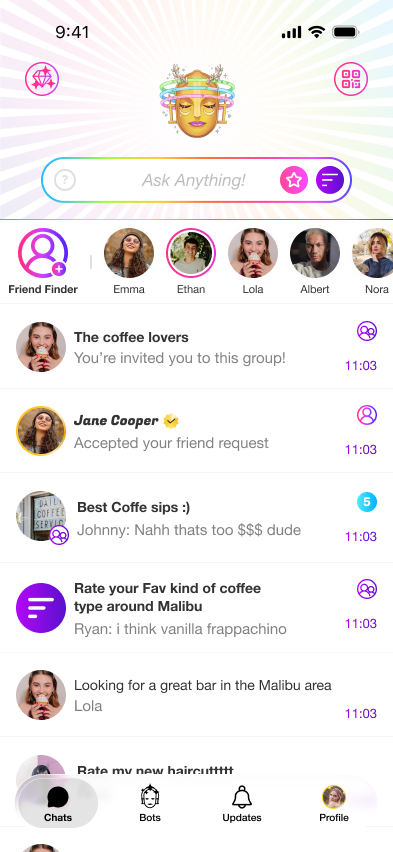
Choose profile appearance controls and a Superbot character. The screens below show the actual controls and your selected character in the chat list.
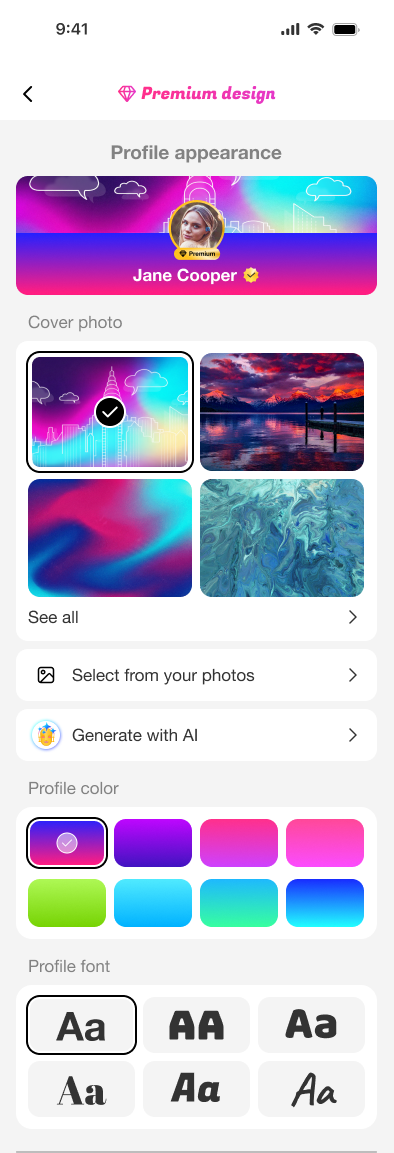
Profile appearance
Set the backdrop. Make it yours.
Choose from cover photo options, use your own photo, or generate one with AI. Then pick a profile color or gradient and choose a font.
Superbot characters
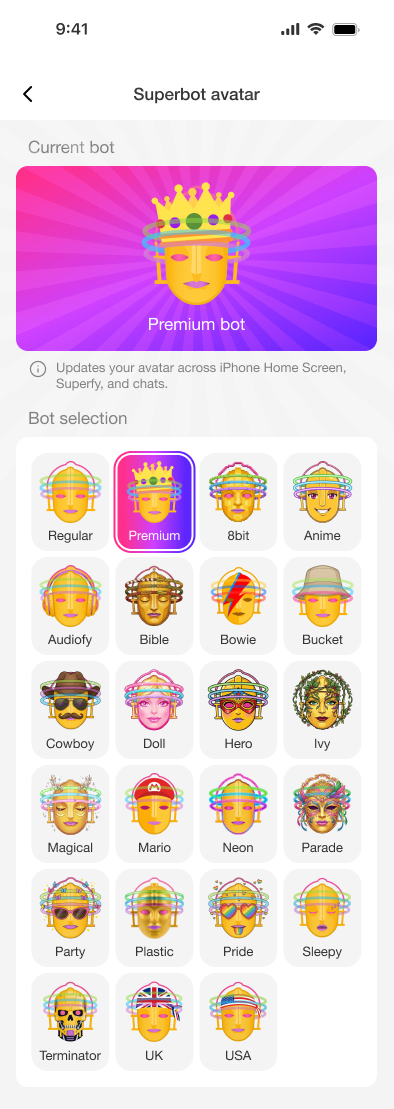
Choose your Superbot.
Explore 23 character options, including 8bit, Anime, Audiofy, Bowie, Cowboy, Neon, and Pride.
Carry your style from Superfy to your iPhone Home Screen. Your selected Superbot updates your avatar across the Home Screen, Superfy, and chats. An alternate app icon changes on your device—not the App Store listing.
Frequently asked
Premium, clearly explained.
What can I customize with Superfy Premium?
Choose a profile cover, use your own photo or generate one with AI, then select profile colors or gradients and a font.
What happens when I choose a Superbot?
Your selected Superbot updates your avatar across your iPhone Home Screen, Superfy, and chats.
Does changing my app icon change the App Store listing?
No. An alternate app icon changes on your device; it does not change the App Store listing icon.
What else is included with Premium?
Premium also includes increased profile visibility and 100 coins monthly.
See Premium in the app
Choose a look that feels like you.
Superfy is free to download. Premium is optional.